Friday, February 25, 2011

Photo Shoot :)

Explore Photography
5 Different Types of Photography

Documentary Photography:
Journalism, events, historical, political, etc.

Two of my friends on Valentine's Day (event) & I was just there taking pictures :)


Macro Photography:
The art of photographing very small/close-up objects.

Tiny rock on the sidewalk :)


Nature Photography:
Landscapes, animals, plants, sea, etc.

Outside on the trails :)


People Photography:
Candid, family, fashion, glamour, passports & visas, portrait, pregnancy, school, sports, wedding

My adorable niece, Yariany! :)


Scenic Photography:
Landscape, cityscape

The creek :)


Pictures taken on February 14, 2011

Explore Photography Exampless

5 Different Types of Photography :)
Animal/Pet Photography: Panoramic Photography:
Night Photography:
Macro Photography:
Scenic Photography:

Images from www.images.google.com :)

Thursday, February 3, 2011

balance collagesssss!


The theme for this collage to the left was an advertisement. As you can tell, I was advertising my favorite brand of shoes, Converse. The balance that I used in the collage was radial, as in it goes like a circle.
:)


The theme for the collage on the right is inspiration. Personally, I am inspired by various things that include music, photography, my niece, the environment, computers, my education, and pets (in general). The quotes on there, are from a song I like by Avenged Sevenfold. The balance used in the collage was symmetrical and has like a mirrored image :)


The theme for this collage is Me: past, present and future. In the past I was really involved with music and tennis. I play the piano and guitar (a little) and my favorite sport is tennis. Presently, I am in love with photography and still enjoy tennis. A new love that I have is my niece, Yariany. In the future, I see myself achieving a lot and moving forward into, possibly, the city life like Tampa, FL. Of course, my niece is always going to be there in the future as well.

First "Digital Imaging II" Project :)


So, now that the second semester of my senior year has started, I also moved onto Digital Imaging II. Our first project was remembering photoshop tools and all from the previous year (well, semester for me). This wasn't obligated to be put onto my blog, but I still did anyway as an intro to this class. :)

Friday, January 7, 2011

FAF Poster Design

Fine Arts Festival 2011;
I designed the layout for a poster for the Fine Arts Festival that's going on. I did a basic one that had the major things in big and matched it with the color of the drawing on the left and in smaller print, and around the drawing, I gave credit to the artists.

Thursday, January 6, 2011

Reflections


Mirror Reflection
:)

Portrait Photographyy:)

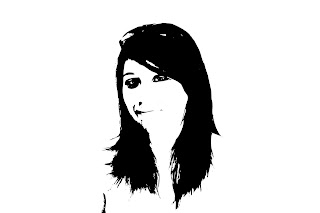
Custom Shape
Created by selecting the shadows in the Color Range, making a work path from the selection, converting it to a solid fill and removing the background.
Ink Sketch
Dont by changing the blending mode, adding a photocopy & sharpen more filter, and adjusting the hue/saturation.


Cross Processing
Last two are cross processing and to do this I added a curves adjusmtment layer and changed some of the settings on that and then added a solid color, yellow, to give it the overall tone.

Thursday, December 9, 2010

David Hockney syle!

David Hockney's style is basically getting a whole bunch of pictures of one thing and compiling them together to make a bigger picture. We did this digitally with a picture of my cute and adorable little dog :)

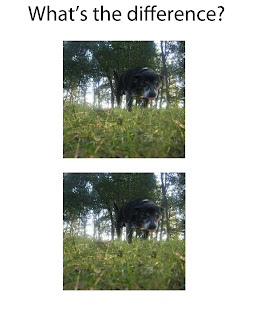
Find the differences!

Everyone went downtown while I stayed in English, so they were doing a scavenger hunt. So I had to use my own personal images. And the project was doing sort of "Where's waldo" thing, but it's just with differences... Have fun!


Some hands.

The effects used were to make the image warm, cool & emerald (with a gradient background). It gives the image a more difference effect and lets it stand out more.
(Warm)
(Emerald & Gradient)
*fail, hand looks GREEN*
(Cool)

Thursday, December 2, 2010

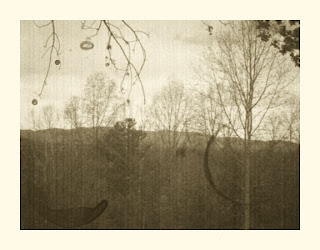
Photo Aging

When making a modern picture look vintage, you shouldn't pick a picture that has something modern (i.e. computer, ipod, technology) that is obviusly not old. The brush that I used for this was a coffee stain brush.

Collage

I replicated the work of Robert Mars. He basically made his collages have a vintage touch and the backround seemed like a lot of pieces of papers.

Tuesday, November 16, 2010

--Glowing Lights 2--


Photoshop:)
Pen tool, star brush tool (changed brush options), text to tool, outer glow, scattering, quick selection, and free transform.

-Glowing Lights-

Main tool used during this project was the pen tool. I made a figure 8 and duplicated the layer numerous amounts of time. Other tools I used afterward were brush tool, free transform, marquee tool, the twirl filter, gaussian blur, and gradient tool.

Typography

Yes, I know this isn't the best work I've done, but it's what I came up with at the moment.
Typography is using text and arranging it properly to make a design. I made a star and just used the letters of my name to make my name.

Picture Sharpening!!


Sharpening of my pictures :)
While taking these pictures, my camera was on Macro, to take close-up pictures
Photoshop:)
Tools used were layers, change of blending mode to overlay, and the High Pass filter.

Thursday, November 4, 2010

Jumping off the Page

Photoshop:)
Tools Used: Quick Selection, Perspective Transform, Layer duplicating, & Gaussian Blur


Wednesday, November 3, 2010

Camera RAW

^^White Balance^^

^^Vignette^^

^^Recovery^^

^^Exposure^^

^^Clarity^^

Camera RAW is a Photoshop plug-in that is easy to use. It helps fix pictures in a quick and nondestructive way.

Macro Examples

Macro Photography is taking pictures up close that you are able to see a lot of detail and texture.

Example 1
Example 2
Example 3

Images fom www.images.google.com

Spooky Picture


"Glowing Monster Eyes At Night"
It actually was kind of hard to follow the tutorial for this one, but that was mostly because when you click on the link for the tutorial, it shows you a tutorial for a totally different thing. So I had to basically make it my own.